

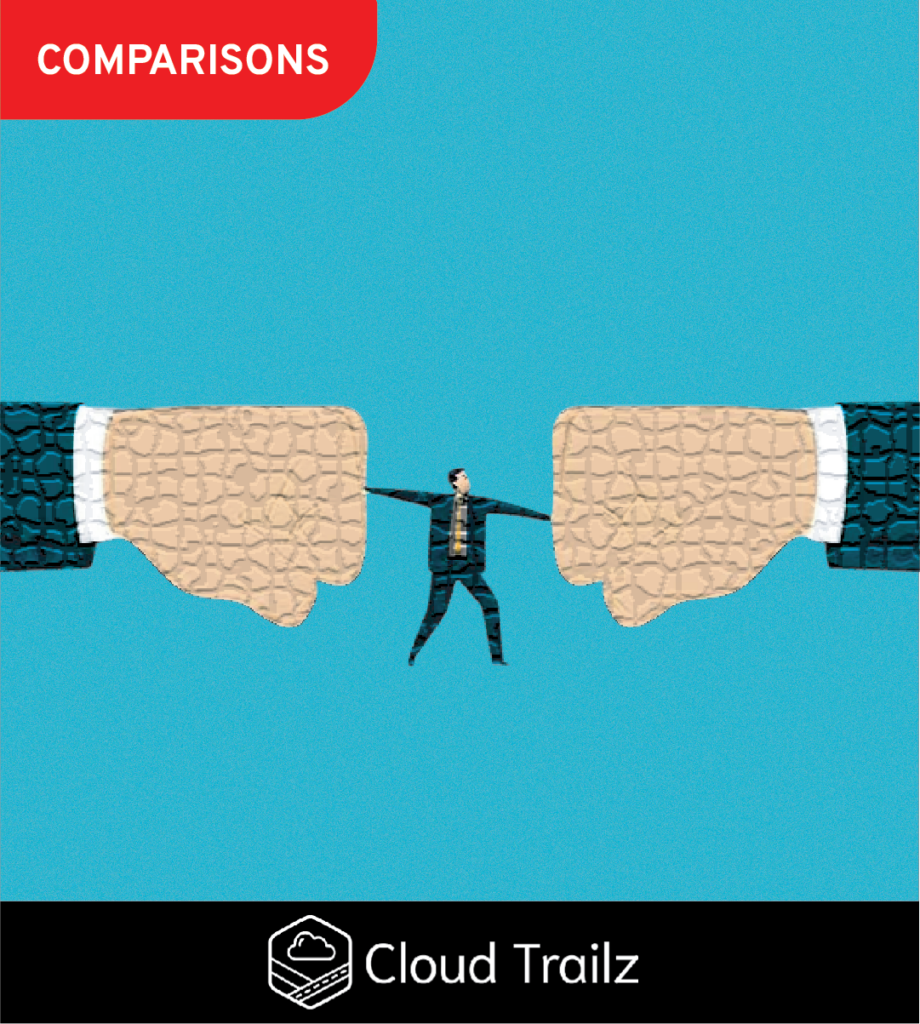
If you’re trying to decide between Salesforce training vs requirements, you’re really asking a deeper question.
👉 Do I force this system on my team, or do I earn adoption over time?
That decision has real consequences.
Not just for Salesforce, but for how your team feels about their work, your leadership, and whether this whole thing actually sticks.
The Real Decision: Salesforce Training vs Requirements
You’re choosing between two modes of operation.
On one end you introduce a change and expect immediate compliance.
People don’t jump and do it so your instincts kick in.
You move to lock it down, make everything required, and force the behavior.
That works for about five minutes.
On the other end you train, you walk people through it, you accept friction, and you adjust.
It’s much slower.
It’s much messier.
But it actually has a chance to stick.
This is the tension behind Salesforce training vs requirements.
The Short Answer: When Training Wins and When Requirements Win
Let’s not pretend requirements don’t matter.
There are real situations where strict compliance is necessary:
-
Regulatory tracking (finance, healthcare, legal)
-
Revenue recognition fields
-
Contract obligations
-
Audit trails
-
Safety or operational risks
If that data is wrong very bad things can happen.
That’s where requirements belong.
But outside of those scenarios training wins.
I’m not saying that because I’m a big softy.
I’m saying it because I’ve watched thousands of people in this system.
People who have things forced on them overwhelmingly resist it. It spans generations, income bands, and industries.
They weren’t in the room during the design then having it forced on them feels like friction not improvement.
Requirements in Salesforce: What They Are and Where They Help
Requirements are simple “You can’t move forward unless you do this.”
That could mean:
-
Required fields
-
Stage gates
-
Validation rules
-
Mandatory processes
It’s fast and satisfying. You can ask your consultant to make something required and it’s live tomorrow.
Where Requirements Actually Shine
-
Compliance (non-negotiable data)
-
Critical automation dependencies
-
Financial or contractual tracking
-
Legal or audit scenarios
In those situations compliance isn’t optional.
It’s mission critical.
What This Looks Like in Real Life
Example:
A deal can’t close without contract value, legal entity, and billing structure.
That makes sense.
That’s not negotiable and required.
Requirements in Salesforce: Where They Break Down
This is where people get burned.
Quiet Sabotage (This Happens 3000% of the Time)
When you force Salesforce on people they don’t fight you directly. No one will set their laptop on fire and scream “I hate this system and I’m not doing this!”.
They work around it with side spreadsheets, fake data, skipping steps, doing the minimum, and sharing the workarounds they’ve created with others.
They will comply on paper and ignore it in reality.
Garbage Data Problem
If people don’t understand the requirement you are paying them to give you garbage.
Not bad data. Literal compost.
-
Random values
-
Placeholder entries
-
“N/A” everywhere
Now your reports are useless.
Trust Breaker
Requirements beyond what is truly needed communicate something whether you mean it or not.
“I don’t trust you to do your job.”
There is a good chance you don’t trust certain people to do their jobs, but you shouldn’t communicate it via system design.
That has a cost and it’s not small.
Training in Salesforce: What It Is and Why It Works
Training is introducing change and helping people adopt it.
It’s not a one-time session.
It’s ongoing, interactive, and responsive.
You don’t need to be a training guru to do it. You just need to be interested in people adopting the system.
What Good Training Looks Like
Not PowerPoints.
Not 2-hour walkthroughs.
Real training looks like working through actual workflows with real people.
Use This Concept
Gemba walks are one of the best ways to train.
You go to where the work happens.
You watch.
You adjust.
You fix friction.
Why Training Works
Because people understand why they’re doing something.
Not just that they have to do it.
What This Looks Like in Real Life
Example:
Instead of requiring 10 fields.
You sit with a rep and ask a few questions:
-
What slows you down?
-
What feels unnecessary
-
What actually helps
Then adjust without taking it personally.
Now they are involved and have ownership in the design.
Training in Salesforce: Where It Breaks
Let’s not act like this is perfect.
- You can’t flip a switch. You have to listen, adjust, and iterate.
- It requires leadership. You can’t outsource this to a consultant or admin. Leadership has to be involved.
- You still need a line. At some point training ends and accountability begins. People still need to do their jobs.
The Real Tradeoff in Salesforce Training vs Requirements
This is the real conversation.
Requirements = Authority Model
You’re saying “Do it because I said so”.
This is a power-based leadership style which is frankly gone the way of the cassette tape in terms of effectiveness.
It creates low morale, resentment, compliance without engagement.
Oh and people really start to hate Salesforce when you do this.
People start to hate Salesforce.
Not because it’s bad, but because it’s been forced on them.
Training = Ownership Model
You’re saying “Let’s figure this out together.
What happens?
-
Slower start
-
Better long-term adoption
-
Higher trust
-
Better data
Emotional Reality (This Matters)
Picture this:
Requirements-heavy org:
-
People complain quietly
-
They avoid the system
-
They do just enough
-
They resent leadership
Training-first org:
-
People push back early
-
Things feel messy
-
Then it stabilizes
-
Then it works
You are choosing which pain you want.
Short-term pain (training) or Long-term pain (requirements).
Best Fit for Each
Requirements Are Best For:
-
Compliance data
-
Financial tracking
-
Legal obligations
-
Mission critical fields
If this fails the business is at risk, ships sink, legs fall off, and wars start.
Training Is Best For:
-
Adoption
-
Workflows
-
Reporting inputs
-
Secondary data capture
Examples:
-
Notes
-
Activity tracking
-
Deal context
-
Customer insights
These are important, but they are not mission critical.
Treating them like they are breaks the system.
The Common Mistake
People default to their personality.
- Authority Types – “I’m your boss, do it”.
- Collaborative Types – Over-train, avoid accountability, let things slide.
The Right Way
Look at the work objectively.
Ask “Is this mission critical”.
If yes, then require it.
If no, allow for a slower adoption curve and engage in ongoing training.
WIIFM Concept
In most cases people need to understand what’s in it for them (WIIFM) to actually engage.
Yes it’s a part of their job.
Yes they are getting paid.
However, there is no need to fight human nature.
If they don’t see the benefit they either don’t adopt it or do it slowly.
Closing Thought
Work moves fast. Salesforce needs to keep up.
Requiring things feels like the fastest way to get there.
And in the short term it is.
But it comes with a real cost.
If you overuse requirements people will start to despise you and the system.
If you lean into training and adoption people become much more likely to use it.
Save requirements and error messages for what truly matters.
Everything else is the perfect ground for training, adjusting, and building something people can actually live in.
If you need help figuring out where that line is in your Salesforce environment reach out to us.
We’ll help you sort out what should be required, what should be trained, and how to actually get adoption without wrecking your team in the process.